

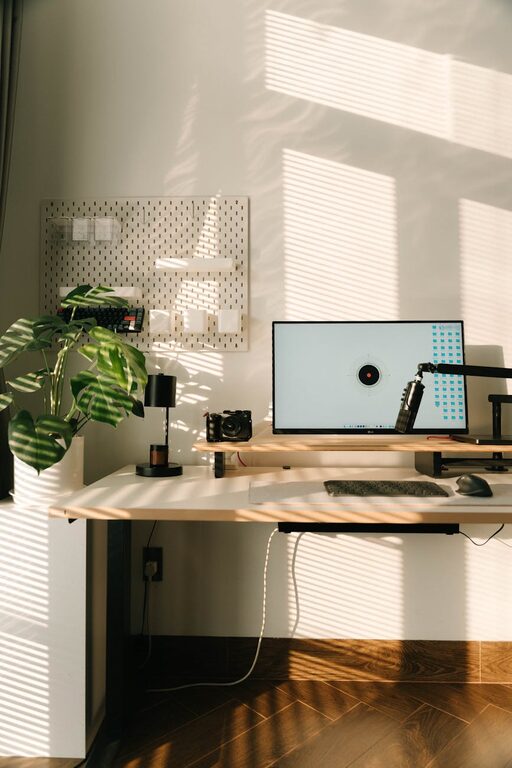
Creating a cozy and functional home workspace is essential for anyone who spends time working from home. A well-designed workspace helps improve focus, reduce distractions, and promote a healthier work-life balance. Whether you have a dedicated room or just a small corner, these tips will guide you in crafting a workspace that feels inviting and supports your productivity.
Why a Cozy and Functional Workspace Matters
When your workspace is both comfortable and organized, you are more likely to enjoy your work and maintain higher motivation. Comfort reduces physical strain, while functionality ensures you have everything you need at your fingertips. Together, they make working from home more pleasant and effective.
Choosing the Right Location
Consider Natural Light
Placing your workspace near a window can provide natural lighting, which boosts mood and reduces eye strain. If natural light is limited, invest in quality desk lamps with a soft, adjustable glow.
Minimize Distractions
Select a quiet area, away from busy household spots or noisy appliances. Using noise-canceling headphones or ambient noise machines can also help maintain focus.
Selecting Comfortable and Effective Furniture
Ergonomic Chair and Desk
Invest in an ergonomic chair that supports your back and promotes good posture. Your desk should be the right height to keep your arms at a comfortable angle while typing.
Flexible Workspace Options
If space is limited, consider adjustable desks that can switch between sitting and standing positions. This variation helps reduce fatigue during long work hours.
Organizing for Efficiency
Declutter Your Desk
A clean workspace clears your mind. Keep only essential items on your desk and store other tools and documents in drawers or shelves.
Use Organizational Tools
Desk organizers, pen holders, and cable management systems prevent clutter. Label files and use digital tools to keep track of tasks and deadlines.
Adding Personal Touches
Comfortable Textiles
A soft rug, cozy throw blankets, or cushions can make your workspace feel warmer and inviting without being distracting.
Plants and Greenery
Adding a few low-maintenance plants can improve air quality and create a more tranquil environment.
Inspiring Decor
Hang art, motivational quotes, or photos that make you feel positive and energized.
Optimizing Lighting
Layered Lighting
In addition to natural light, combine ambient lighting with task lighting. A desk lamp focused on your work area can prevent shadows and reduce eye fatigue.
Avoid Screen Glare
Position your computer screen to avoid reflections from windows or lights. Adjust brightness and contrast settings to a comfortable level.
Technology and Connectivity
Reliable Internet and Equipment
Ensure your internet connection is stable to avoid interruptions. Use headphones with a microphone for clearer communication during calls.
Cable Management
Use clips and ties to keep cords organized and prevent tangling, which also improves the visual appeal of your workspace.
Maintaining a Healthy Routine
Take Regular Breaks
Stand up, stretch, and move around at regular intervals to reduce stiffness and increase circulation.
Set Boundaries
Define work hours and communicate them to those in your household to minimize interruptions.
Final Thoughts
Designing a cozy and functional home workspace balances comfort, organization, and personal style. By carefully choosing your location, furniture, and decorations, you create an environment where you can work efficiently and feel at ease. Remember, the ultimate goal is to make your workspace a place that supports your productivity while taking care of your well-being.