

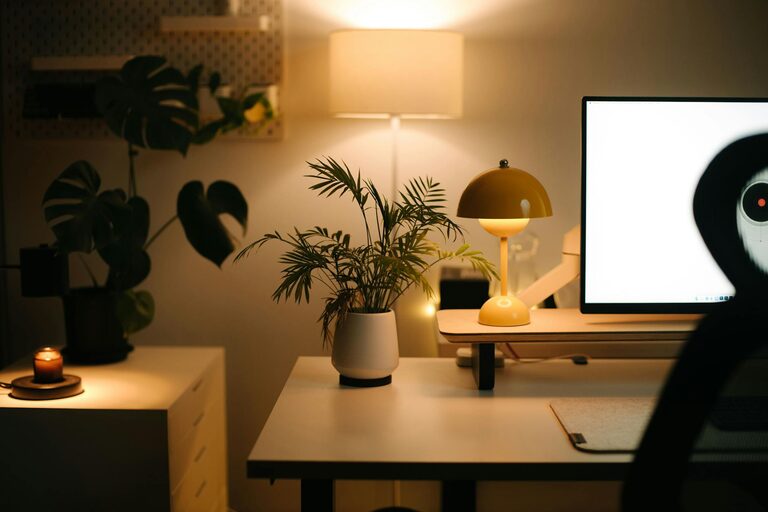
Creating a comfortable and efficient home workspace is essential for anyone working remotely or studying from home. A well-designed area can improve focus, reduce stress, and make your workday more enjoyable. In this post, we’ll explore practical tips for creating a cozy and functional home workspace, no matter your budget or space.
Choose the Right Location
Picking the best spot for your workspace is the first step to success. Ideally, choose a quiet area with minimal distractions. This could be a spare room, a corner in the living room, or a nook near a window. Natural light is a big plus, as it boosts mood and reduces eye strain.
If space is tight, consider multi-functional areas. A fold-away desk or a compact writing table can save room and still offer a dedicated work zone.
Invest in Comfortable Seating
A good chair is key. Since you’ll be spending hours sitting, look for one with proper support for your back and adjustable height. Ergonomic chairs might be a bit pricier but can help prevent discomfort and improve posture.
If a dedicated office chair isn’t an option, consider adding cushions or lumbar support to your existing chair to make it cozier.
Optimize Your Desk Setup
Your desk should be spacious enough for your computer, notebooks, and other essentials without feeling crowded. Keep frequently used items within arm’s reach to minimize interruptions.
Use cable organizers or clips to keep wires tidy, and add a desk lamp with adjustable brightness to improve lighting during late hours.
Personalize Your Space
Adding personal touches makes your workspace feel inviting. Choose colors and decor that inspire you. Plants, artwork, or photos can brighten the room and boost your mood.
Avoid clutter by limiting decorations to a few meaningful pieces, which balance coziness with productivity.
Organize Smartly
Organization reduces stress and saves time. Use shelves, drawer organizers, or bins to keep supplies sorted. Labeling containers can help you quickly find what you need.
Consider a bulletin board or whiteboard to track tasks and deadlines visually, keeping you motivated and on schedule.
Manage Noise and Distractions
If your workspace isn’t isolated, noise can be an issue. Use noise-canceling headphones or play soft background music to maintain focus.
Communicate your work hours with family or housemates to minimize interruptions. Setting boundaries helps create a professional atmosphere at home.
Keep Technology Efficient
Ensure your internet connection is reliable for calls and online work. Invest in necessary tech like a quality webcam, microphone, or printer if needed.
Regularly update software and keep your devices charged and ready to avoid technical delays.
Incorporate Break Areas
Even in a small space, create a spot to step away from work briefly. A cozy chair or cushion near your desk encourages short mental breaks, which can increase productivity.
Use this space to stretch, meditate, or enjoy a cup of tea away from screens.
Maintain a Routine
Having a consistent schedule and dedicated workspace supports mental separation between work and home life. Start and end work at set times, and keep your area neat at the end of each day.
This structure helps maintain work-life balance, even when your office is only a few steps away.
—
By thoughtfully considering location, comfort, organization, and personal touches, you can build a home workspace that feels both inviting and efficient. Whether you’re working full-time or just catching up on tasks, these tips will help you create a space where productivity and comfort go hand in hand.