

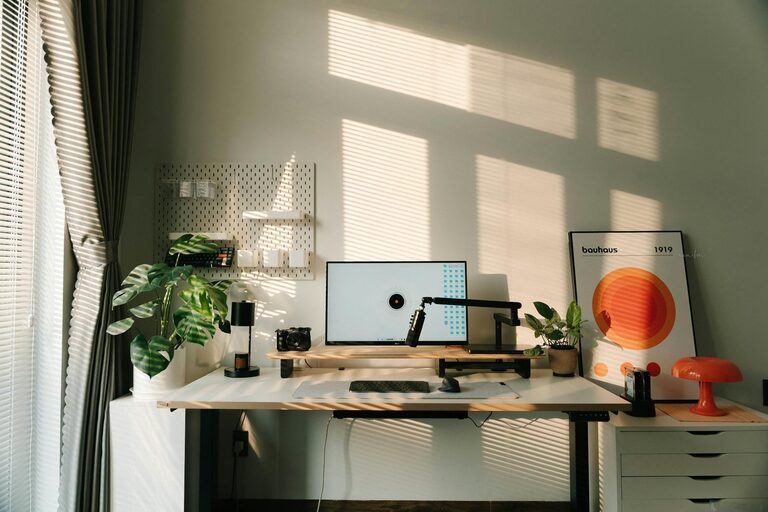
Creating a home office that balances coziness with functionality can greatly improve your remote work experience. Whether you’re setting up a corner in your living room or dedicating an entire room to your workspace, designing a comfortable and efficient environment can boost your productivity and well-being. Here are practical tips to help you build a home office that suits your needs.
Choose the Right Location
Assess Your Space
The first step is to find a spot in your home that fits your work style. Ideally, pick a quiet area with minimal distractions. If possible, choose a space near a window for natural light, which can improve mood and focus.
Consider Privacy
If your work involves calls or video meetings, privacy is key. A room with a door that closes or a secluded nook can help reduce interruptions.
Invest in Comfortable Furniture
Ergonomic Chair
A supportive chair is an essential investment. Look for adjustable features that provide lumbar support and encourage good posture to reduce fatigue over long work hours.
Functional Desk
Select a desk that fits your equipment and allows enough space to work comfortably. Standing desks or adjustable-height desks are great options to alternate between sitting and standing.
Optimize Lighting
Natural Light
Maximize daylight by placing your desk near a window, but be mindful of glare on your screen. Use light curtains or blinds to control brightness.
Task Lighting
Add a desk lamp with adjustable brightness to reduce eye strain when working late or on cloudy days.
Organize with Purpose
Declutter Regularly
Keep your desk tidy by removing unnecessary items. A clean surface helps maintain focus and reduces stress.
Use Storage Solutions
Incorporate shelves, drawers, or filing cabinets to store documents, office supplies, and personal items neatly.
Cable Management
Organize cords and chargers with cable clips or covers to prevent tangling and keep the area looking neat.
Personalize Your Workspace
Add Cozy Elements
Incorporate a soft rug, cushions, or a throw blanket to make the space more inviting.
Use Plants
Indoor plants can improve air quality and add a touch of nature, making your office feel fresh and lively.
Display Meaningful Items
Include photos, artwork, or inspirational quotes that motivate you without cluttering your desk.
Create a Healthy Work Environment
Maintain Good Air Quality
Ventilate the room regularly or use an air purifier to keep the air fresh.
Set Temperature Controls
Adjust heating or cooling to stay comfortable throughout the day.
Take Breaks and Move
Design your office layout to encourage movement, like having a small space for stretching or walking short distances.
Utilize Technology Wisely
Reliable Equipment
Invest in devices and internet connectivity that support smooth remote work.
Keep Essentials Handy
Store frequently used gadgets like headphones, chargers, and notebooks within easy reach.
Minimize Distractions
Turn off non-essential notifications and use apps or browser extensions that help maintain focus.
Establish Boundaries and Routine
Define Work Hours
Set clear start and end times to separate work life from home life.
Communicate Boundaries
Inform household members of your schedule to minimize interruptions.
Create a Start-of-Day Routine
Begin your workday with a ritual, such as making coffee or reviewing your calendar, to mentally prepare yourself.
Final Thoughts
Designing a cozy and functional home office is about finding the right balance between comfort and efficiency. By thoughtfully choosing your space, investing in quality furniture, and personalizing your environment, you set yourself up for success in your remote work journey. Remember, a pleasant workspace not only enhances productivity but also makes working from home more enjoyable. Take your time to customize your office to fit your preferences and watch how it positively impacts your daily routine.